Isaiminia World Breaking News & Top Stories
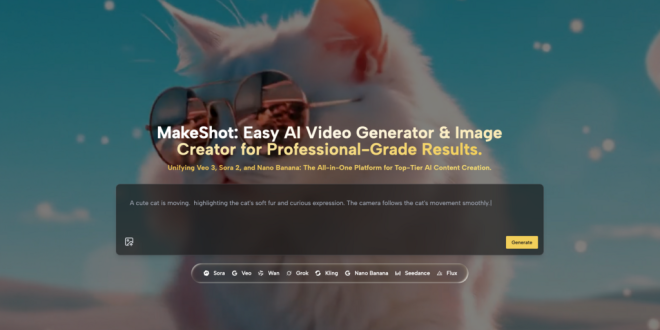
Let me be honest: the first time I tried using an AI video generator, I spent two hours clicking around, generated three unusable clips, and closed my laptop in frustration. Six months later, I’m producing content weekly with tools like MakeShot. The difference wasn’t talent—it was learning what actually matters when you’re starting out.
This guide is for anyone who’s heard the hype about AI-powered content creation but doesn’t know where to begin. If you’re a content creator, freelancer, or small business owner who wants professional-looking videos without a film degree, you’re in the right place.
Why Most Beginners Struggle with AI Video Generator Tools
Here’s what nobody tells you: the technology isn’t the hard part. The overwhelming part is having too many options and no framework for making decisions.
Modern platforms like MakeShot give you access to multiple AI models—Veo 3, Sora 2, Nano Banana Pro, and others—each with different strengths. That’s genuinely powerful. But for a beginner, it feels like walking into a restaurant with a 47-page menu when you just want lunch.
The common failure pattern looks like this:
- You sign up for a platform
- You stare at a blank prompt box
- You type something vague like “make a cool video”
- The result looks nothing like what you imagined
- You assume the tool doesn’t work
The tool works fine. The problem is that nobody taught you how to communicate with it.
Understanding What an AI Video Generator Actually Needs from You
Think of an AI video generator as a very talented but very literal collaborator. It can create stunning visuals, but it needs specific direction.
When I first started using MakeShot’s AI Image Creator alongside its video tools, I noticed something: the more specific my prompts, the less time I spent regenerating content. This seems obvious in hindsight, but it took me weeks to internalize.
The Anatomy of a Good Prompt
A useful prompt typically includes:
| Element | Example | Why It Matters |
| Subject | “A woman in her 30s” | Gives the AI a clear focus |
| Action | “walking through a farmers market” | Creates movement and narrative |
| Style | “documentary-style, natural lighting” | Sets visual tone |
| Mood | “warm, casual, authentic” | Guides color and composition |
You don’t need all four elements every time, but having at least two dramatically improves results.
A Realistic Workflow for Your First Week
Forget about mastering every feature. Here’s what actually works when you’re learning to use an AI video generator:
Days 1-2: Pick One Model and Stick With It
MakeShot offers access to models like Veo 3 and Sora 2, each with different capabilities. Veo 3, for instance, generates videos with synchronized audio—dialogue, sound effects, ambient sounds—built in. Sora 2 excels at cinematic storytelling.
Don’t try to learn both simultaneously. Pick one. I started with Veo 3 because the native audio generation meant fewer steps in my workflow.
Days 3-4: Generate Quantity, Not Quality
This sounds counterintuitive, but your first dozen creations should be experiments, not portfolio pieces. Try different prompt structures. See what the AI interprets literally versus figuratively. Build intuition.
Days 5-7: Identify Your Repeatable Use Case
By the end of week one, you should know one specific thing you can reliably create. Maybe it’s product mockups using the AI Image Creator. Maybe it’s short social clips. Having one reliable output builds confidence for everything else.
Common Mistakes That Waste Time (And How to Avoid Them)
After months of using these tools, I’ve catalogued the errors that cost beginners the most time:
Mistake 1: Writing Novel-Length Prompts
More words don’t equal better results. An AI video generator responds better to clear, structured prompts than to paragraphs of description. If your prompt is longer than three sentences, you’re probably overcomplicating it.
Mistake 2: Ignoring Reference Images
Platforms like MakeShot allow you to upload reference images—Nano Banana Pro supports up to four. This feature is underused by beginners who don’t realize how much it improves consistency.
If you’re creating content for a brand, upload examples of your existing visual style. The AI Image Creator will match that aesthetic far better than any text description could achieve.
Mistake 3: Expecting Perfection on the First Try
Professional creators using any AI video generator typically generate multiple variations and select the best one. This isn’t a failure of the technology; it’s how the workflow actually works.
Mistake 4: Not Comparing Models
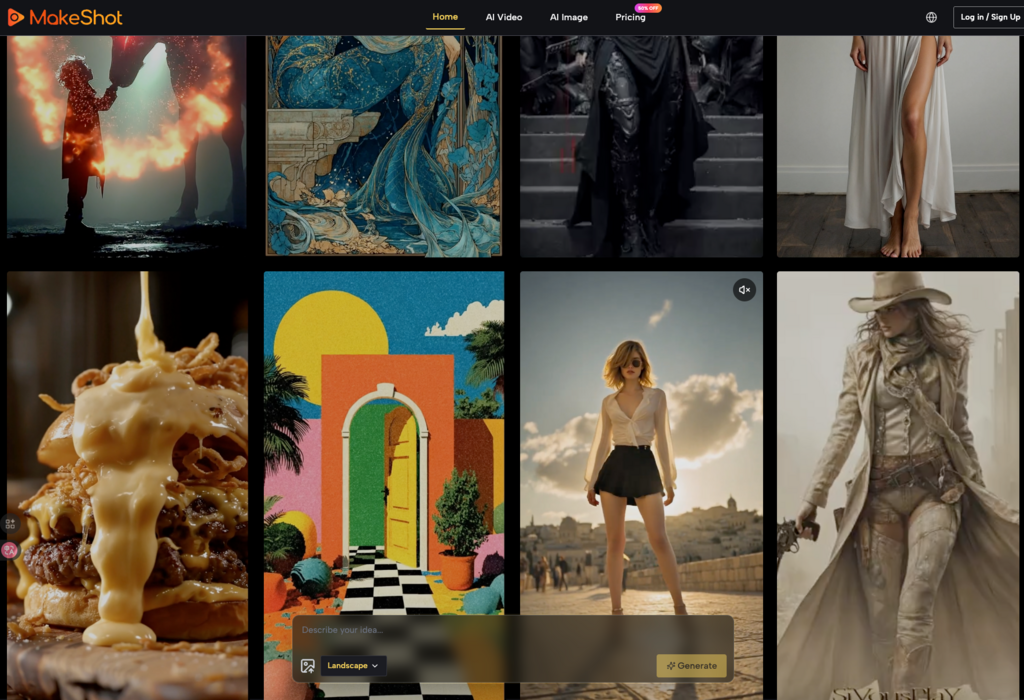
One feature I genuinely appreciate about MakeShot is the ability to compare results across different models side-by-side. Veo 3 might nail one type of scene while Sora 2 handles another better. Testing both takes minutes and often reveals surprising differences.
Practical Applications That Actually Make Sense
Not every use case is equally valuable. Based on what I’ve observed, here’s where an AI video generator delivers the clearest ROI:
- Social media content: Daily posting becomes sustainable when you’re not manually editing every clip
- Product visualization: Show items in different contexts without organizing photoshoots
- Marketing variations: A/B test creative concepts before committing to paid distribution
- B-roll and establishing shots: Fill gaps in existing video projects without additional filming
The common thread: these are all situations where “good enough, fast” beats “perfect, eventually.”
Getting Started with MakeShot Specifically
MakeShot positions itself as a unified platform—one subscription covering multiple AI models including Veo 3, Sora 2, Nano Banana Pro, Grok, and Seedream. For beginners, this consolidation matters because you’re not juggling multiple accounts and learning multiple interfaces.
The platform supports both AI video generator and AI Image Creator workflows, which means you can produce assets for an entire campaign without switching tools. Content you create comes with full commercial usage rights, which removes a common anxiety for freelancers and business owners.
What I’d suggest: start with one model, master the basics, then explore how different models handle the same prompt. That comparison process taught me more about effective prompting than any tutorial.
Final Thoughts: Progress Over Perfection
The creators getting the most value from AI video generator tools aren’t the most technically sophisticated. They’re the ones who started with modest goals, built consistent habits, and gradually expanded their capabilities.
Your first AI-generated video will probably be mediocre. Your tenth will be noticeably better. By your fiftieth, you’ll have developed intuitions that no guide can teach.
The tools are ready. The learning curve is real but manageable. The only question is whether you’ll start.