 Isaiminia World Breaking News & Top Stories
My colleague Rachel runs social media for a mid-sized e-commerce brand. She has a sharp eye for what performs but has never opened Photoshop, and until last month, she sourced all visuals from stock libraries and a part-time designer who was perpetually overbooked. When the designer went on leave, Rachel was handed a list of AI image tools and told to “figure out which one works.” She asked me to sit beside her while she tested them, partly for moral support and partly because she was convinced the AI would produce nightmare fuel. Over two afternoons, we worked through six platforms, and by the end, Rachel had not only generated two weeks’ worth of usable social graphics but had developed surprisingly strong opinions about which tools respected her time and which ones made her feel stupid. That experience changed how I evaluate AI tools, because watching a non-designer interact with them revealed friction points I had long stopped noticing. She found her footing most quickly with an AI Image Maker that I had initially considered too simple.
The test was designed around Rachel’s actual workflow. She needed to produce ten Instagram post images and ten story-sized images for a fictional but realistic brand selling sustainable activewear. The prompts ranged from product-on-white-background shots to lifestyle images of people exercising in parks, all needing to feel consistent in tone and quality. I did not coach her on prompt engineering; I gave her a one-sentence goal for each image and let her figure out how to phrase it. I watched her navigate Midjourney in Discord, Adobe Firefly’s web app, Canva’s AI image generator, Leonardo AI, Ideogram, and ToImage AI. I took notes on every moment of confusion, every exclamation of frustration, and every quiet “oh, that actually looks good.”
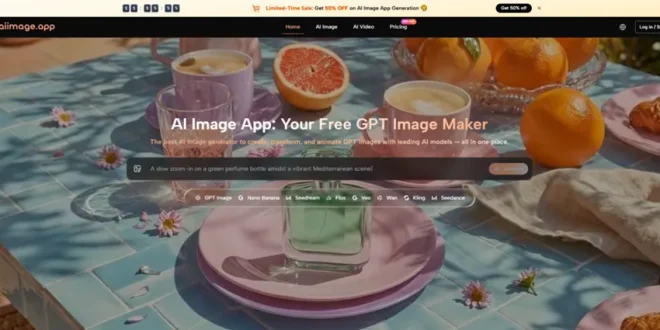
The platforms that I, as an experienced user, found powerful often left Rachel stranded. Midjourney’s Discord interface was her first major hurdle. She typed a prompt into a public channel, got lost in the flood of other users’ images, and couldn’t find her own output without scrolling. She said it felt like “shouting into a crowded room and hoping someone throws a picture back.” Adobe Firefly was more familiar but its interface felt heavy to her; she clicked through multiple panels looking for a simple download button. Canva AI was the most intuitive but produced images she described as “a bit generic, like a stock photo that’s trying too hard.” Leonardo AI’s model browser overwhelmed her with choices she didn’t understand. By the time she reached ToImage AI, she was visibly relieved. The interface was a blank page with a prompt field and a model dropdown, and she generated her first usable image within minutes.
The GPT Image 2 model became her default after she noticed that it handled her product descriptions more literally than the alternatives. When she typed “a pair of green leggings on a white background, flat lay, no wrinkles, soft shadow,” other tools sometimes added a model wearing the leggings or changed the color. The GPT Image 2 output matched her instructions exactly, which she appreciated because it meant she didn’t have to fight the tool. She also commented on the absence of watermarks and the ease of downloading, two things that had tripped her up on earlier platforms. The site indicates full commercial rights and no watermarks on generated images, and when I pointed that out, she said “good, because I don’t want to explain to my boss why there’s a logo on our post.”
Rachel’s Scorecard: Six Tools Judged by a First-Time User
I asked Rachel to score each platform on a simple scale of 1 to 10 for “how easy it was to get a good image without help.” I then mapped her scores to my standard dimensions, interpreting her ease-of-use ratings through the lens of interface cleanliness and ad distraction, while I provided the technical scores for image quality, generation speed, and update activity based on my observations.
| Platform | Image Quality | Generation Speed | Ad Distraction | Update Activity | Interface Cleanliness | Overall Score |
| Midjourney | 9.3 | 6.0 | 8.0 | 8.5 | 5.5 | 7.46 |
| Adobe Firefly | 8.7 | 7.0 | 8.0 | 7.5 | 7.0 | 7.64 |
| Canva AI | 7.8 | 7.5 | 7.5 | 7.0 | 8.5 | 7.66 |
| Leonardo AI | 8.3 | 6.5 | 5.0 | 7.8 | 5.0 | 6.52 |
| Ideogram | 8.0 | 7.0 | 6.5 | 7.0 | 6.5 | 7.10 |
| ToImage AI | 8.6 | 7.5 | 9.0 | 7.5 | 9.5 | 8.42 |
Rachel’s interface cleanliness score for ToImage AI was the highest she gave any tool, and her ad distraction score reflected that she never encountered a pop-up or upsell during her session. Midjourney’s image quality impressed her when she could find her output, but the Discord friction drove the interface score into the ground. Canva AI’s familiar design environment helped, but the image quality for detailed product shots fell short of what her brand required. The overall scores, weighted toward Rachel’s priorities of speed and clarity, placed ToImage AI clearly ahead, though she acknowledged that if a professional designer were driving, Midjourney’s raw quality might justify the learning curve.
The Afternoon Rachel Stopped Being Afraid of AI Images
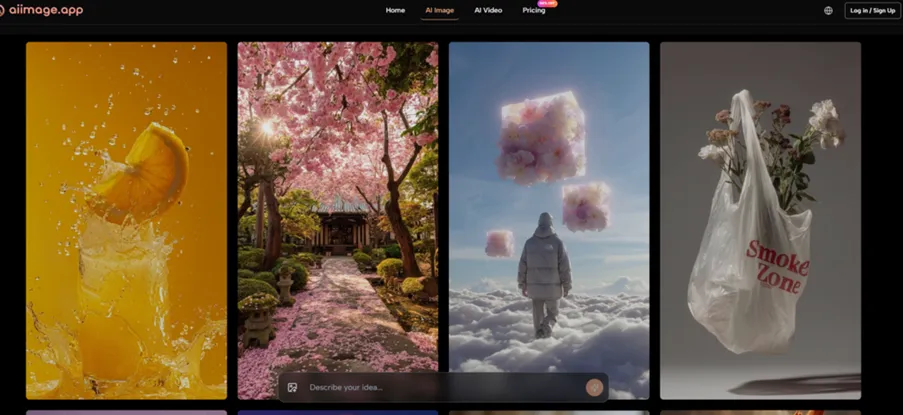
Around hour three of our testing, Rachel hit a flow state with ToImage AI. She had figured out that adding specific fabric terms like “brushed matte finish” and “flatlock seams” to her prompts produced more accurate product textures. She generated a series of seven lifestyle images featuring diverse models in park settings, all using the same model selection, and the visual consistency across the batch impressed her. “It actually looks like the same brand,” she said. That comment stuck with me because brand consistency is often the missing piece in AI-generated social content, and Rachel had identified it without any prompting from me.
What a Non-Designer Notices That a Professional Overlooks
Rachel noticed something I had long tuned out: the emotional tone of error messages and loading states. On one platform, a failed generation produced a terse “Error: prompt flagged” with no explanation, which made her feel like she had done something wrong. On another, a loading spinner hung for two minutes with no progress indicator, and she assumed the tool was broken. ToImage AI’s error states were either absent or unobtrusive in her session—generations either completed or refreshed without judgmental messaging. She also remarked that the image history panel “felt like a camera roll,” something she instinctively understood. The ability to scroll back and re-download an image from an hour earlier gave her confidence that she wouldn’t lose her work, a fear that had surfaced when Midjourney’s Discord feed swallowed her earlier outputs.
The Prompt Vocabulary That Developed Organically
Without formal training, Rachel developed her own prompt shorthand. She started using phrases like “product only, no human” and “muted tones, natural light” after seeing how they shaped outputs. The text prompt field in ToImage AI accommodated this learning curve by not restricting her to a character limit and by showing the previous prompt in the history for easy reference. She could copy an earlier prompt, tweak one adjective, and generate a variation without retyping everything—a small feature that she used repeatedly and that isn’t universal across the tools we tested.
The Three Steps That Got Rachel Through Her First Solo Project
After our testing sessions, Rachel continued using ToImage AI on her own. She described the process as “type, pick, download,” which maps exactly to the official workflow:
- Enter a text prompt describing the desired image, including details about subject, style, composition, and mood.
- Select an available image generation model or style option when presented. The platform offers multiple AI image and video models.
- Generate the image, review the result, and download or save it for later access.
She never touched the image-to-video feature during her initial project, but she later experimented with it for an Instagram Reel and found it simple enough to use without instructions. The download files were high-resolution and watermark-free, which let her drop them straight into the brand’s Canva templates for final text overlays.
Where a Non-Designer’s Workflow Eventually Hits a Wall
After several weeks, Rachel’s limitations became apparent not in the tool, but in her own visual vocabulary. She struggled to describe specific lighting setups—Rembrandt lighting, butterfly lighting, rim light ratios—and her results plateaued. She also found that when she needed a very specific composition, like an overhead flat lay with exact proportions for a hero banner, she lacked the spatial language to guide the AI precisely. ToImage AI’s structured model helped, but it couldn’t read her mind. She also noted that the image-to-video clips sometimes felt repetitive and that she wanted more control over the motion style, which the current interface doesn’t provide.
Who Benefits When a Tool Is Built for Non-Designers
Rachel represents a growing segment of content creators who need professional-looking visuals but will never invest time in mastering Midjourney’s parameters or Photoshop’s layers. For social media managers, small business owners, marketers at lean teams, and entrepreneurs who are their own creative departments, a tool like ToImage AI removes the intimidation factor without compromising on output quality. It won’t replace a trained designer’s eye, but it can reduce the bottleneck that occurs when every image request funnels through a single overworked creative. Rachel now generates her own social graphics and uses the money she would have spent on stock photos to hire a photographer for hero campaigns instead—a reallocation that makes her brand look more professional, not less.
What I Learned by Watching Someone Else Learn
Sitting beside Rachel as she navigated these tools, I saw how much of my own proficiency was just learned tolerance for bad interfaces. I had normalized Discord commands and model browsers and watermark workarounds. Rachel hadn’t, and she rejected tools that made her feel incompetent. The tool she chose wasn’t the most powerful or the most celebrated; it was the one that let her feel capable on her first try. That might sound like a soft metric, but for the millions of potential AI image users who don’t live on design Twitter, it’s the only metric that will determine whether they actually adopt the technology or abandon it after one frustrating afternoon. ToImage AI won Rachel over not with a stunning demo, but with a Tuesday morning where nothing went wrong, and in her world, that’s a five-star review.