 Isaiminia World Breaking News & Top Stories
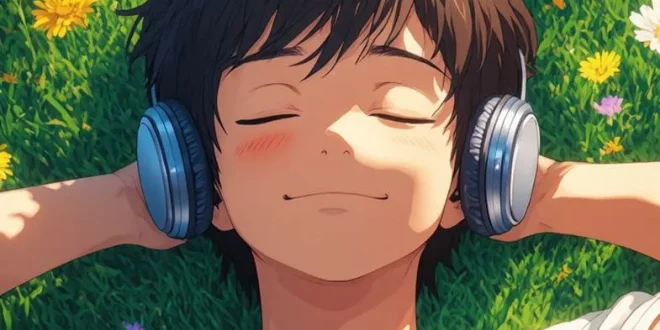
Creating compelling visuals used to require years of design training, expensive software, and hours of painstaking work. Today, that barrier has all but disappeared. An AI picture generator can transform a simple text description into a polished, professional-quality image in seconds — no artistic background required.
The technology has matured rapidly. What once produced blurry, distorted results now delivers images with remarkable detail, accurate lighting, and coherent compositions. Whether you need a product mockup, a social media graphic, a concept illustration, or a piece of digital art, AI image generation tools have become genuinely useful for everyday creative work.
This guide walks you through everything you need to know: how AI picture generators work under the hood, who stands to benefit most from using them, and a practical step-by-step process for getting results that actually look the way you imagined. You will also find concrete tips for writing better prompts and refining your outputs so you spend less time guessing and more time creating.
What Is an AI Picture Generator?
An AI picture generator is a software tool that uses machine learning models to create images from text descriptions, reference images, or a combination of both. You type in what you want to see — a sunset over a mountain range, a futuristic cityscape, a portrait in watercolor style — and the model produces a visual interpretation of that description.
The output is not retrieved from a database of existing images. The model generates entirely new pixels based on patterns it learned during training on vast collections of visual data. This means every image it creates is unique, and the same prompt can produce dozens of different results depending on the model’s settings and random seed values.
Modern AI picture generators support a wide range of use cases. Some are optimized for photorealistic outputs, making them useful for product visualization or architectural rendering. Others excel at stylized art, illustration, or concept design. Many tools now offer additional controls like aspect ratio selection, style presets, negative prompts, and image-to-image editing — where you upload an existing photo and ask the AI to modify or reimagine it.
The Technology Behind AI Image Creation
Most contemporary AI image generators are built on a class of models called diffusion models. These systems learn to generate images by training on a process of gradually adding noise to existing images and then learning to reverse that process — essentially learning to denoise a random field of pixels into a coherent picture guided by a text description.
The text understanding component typically relies on a language model that encodes your prompt into a numerical representation. This representation guides the denoising process, steering the image toward the content and style you described. The quality of your prompt directly influences the quality of the output, which is why learning to write effective prompts is one of the most valuable skills for anyone working with these tools.
Advances in model architecture, training data curation, and inference optimization have made these systems dramatically faster and more accessible. What once required a high-end GPU and a complex technical setup can now run in a browser or mobile app, making AI image generation available to virtually anyone with an internet connection.
Who Benefits Most From AI Picture Generators?
The short answer is: almost anyone who works with visual content. But certain groups find these tools particularly transformative.
Content creators and social media managers face a constant demand for fresh, eye-catching visuals. Producing original images for every post, story, or campaign used to mean either hiring a designer or spending hours in editing software. AI picture generators compress that workflow dramatically. A creator can generate a dozen variations of a concept in the time it would previously take to find a single stock photo that almost fits.
Small business owners and entrepreneurs often lack the budget for a dedicated design team but still need professional-looking visuals for their websites, marketing materials, and product listings. AI image generation levels the playing field, giving smaller operations access to the same quality of visual output that larger companies achieve with full creative departments.
Designers and creative professionals use AI tools not as a replacement for their skills but as an accelerant. Generating quick concept sketches, exploring visual directions before committing to a full design, or producing reference images for illustration work are all areas where AI picture generators save significant time and open up creative possibilities that would otherwise be impractical to explore.
Educators, researchers, and writers also find value in being able to quickly generate illustrative images for presentations, reports, and publications without navigating complex licensing requirements or commissioning custom artwork.
How to Create Stunning Images Step by Step
Getting great results from an AI picture generator is a learnable skill. The process is iterative — you rarely get exactly what you want on the first try, and that is perfectly normal. Understanding the workflow helps you move from a vague idea to a polished output efficiently.
Writing Effective Text Prompts
Your prompt is the primary instruction set for the AI. Vague prompts produce generic results; specific, descriptive prompts produce images that match your vision. A few principles make a significant difference.
Start with the subject and be concrete. Instead of “a dog,” try “a golden retriever sitting on a wooden porch at dusk.” Add context about the environment, lighting, and mood. Specify the visual style you want — photorealistic, oil painting, digital illustration, cinematic — because the model needs this guidance to make stylistic choices. Include details about composition and perspective when they matter. “Close-up portrait,” “wide-angle landscape,” or “bird’s-eye view” all give the model useful spatial information. If you have a specific color palette in mind, mention it.
Use negative prompts to exclude unwanted elements. Most AI picture generators support a separate field where you can list things you do not want in the image — blurry backgrounds, extra limbs, watermarks, or specific colors that clash with your vision. This is one of the most effective ways to clean up results without having to regenerate from scratch repeatedly.
Refining and Iterating Your Results
Treat your first generation as a starting point, not a final product. Look at what the model got right and what it missed, then adjust your prompt accordingly. If the composition is good but the lighting is wrong, add more specific lighting instructions. If the style is off, try naming a specific artistic movement or referencing a visual aesthetic you want to emulate.
Many tools offer an image-to-image or inpainting feature that lets you upload a generated image and modify specific areas while keeping the rest intact. This is invaluable for fixing small issues — an awkward hand, an unwanted background element, or a face that did not render correctly — without regenerating the entire image from scratch.
Saving your successful prompts is a habit worth developing. When you find a combination of descriptors that consistently produces the style or quality you want, keep a record of it. Over time, you build a personal library of prompt patterns that dramatically speeds up your workflow on future projects.
Tips for Getting the Best Results From Your AI Picture Generator
Beyond prompt writing, a few practical habits separate users who get consistently strong results from those who feel like they are fighting the tool.
Experiment with aspect ratios early. The default square format works for some use cases but not others. If you are creating a banner, a portrait, or a widescreen background, setting the correct aspect ratio before generating saves you from cropping or distorting the output afterward. Most platforms make this a simple setting you can adjust before each generation.
Pay attention to the model’s strengths. Different AI image generation tools have different areas where they excel. Some handle human faces and anatomy better than others. Some are stronger at architectural or product imagery. Kling AI, for example, is recognized for its high-quality visual outputs and versatile generation capabilities, making it a reliable choice for creators who need consistent results across a range of subjects and styles.
Use reference images when available. Many tools allow you to upload an image as a style reference or composition guide. This is one of the fastest ways to get outputs that match a specific aesthetic without having to describe every visual detail in text. A single reference image can communicate nuances of lighting, texture, and mood that would take a paragraph of prompting to approximate.
Generate multiple variations at once. Rather than generating one image, reviewing it, and then generating another, most tools let you produce several variations of the same prompt simultaneously. Reviewing a batch of four or eight images at once gives you a much better sense of the range of possible outputs and often surfaces a result that is closer to what you wanted than any single generation would have been.
Finally, do not overlook post-processing. AI-generated images often benefit from minor adjustments in a standard photo editor — tweaking brightness and contrast, sharpening details, or removing small artifacts. Treating the AI output as a high-quality draft rather than a finished product gives you more flexibility and consistently better final results.
Start Creating Visuals That Work for You
AI picture generators have fundamentally changed what is possible for individual creators, small teams, and large organizations alike. The ability to move from a text description to a polished image in seconds is not just a convenience — it is a genuine shift in how visual content gets made, and the tools available today are more capable and accessible than ever before.
The learning curve is manageable, and your results improve steadily as you develop your prompting skills and learn the strengths of the platform you are using. Whether you are building a brand, producing content at scale, exploring creative ideas, or solving a practical design problem, an AI image generator gives you a fast, flexible path from concept to visual.
The best way to understand what these tools can do for your specific needs is simply to start. Pick a project you are already working on, write a few prompts, and see what comes back. The gap between what you imagine and what you can produce has never been smaller.